
From Blueprint to Sold Out: One Venue Through Design, Render, Go Live
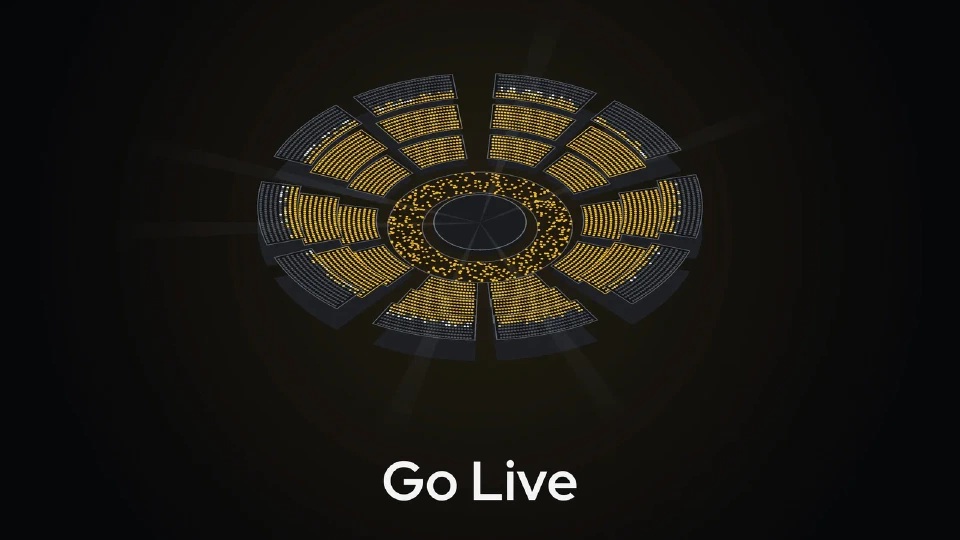
How one venue moves through Seatmap Pro: drawn in the editor, published to the renderer, sold through the Booking API, and filled on the night.
Before choosing a ticketing API, check what its seat-map layer exposes. Five criteria from layout reads to hold conflicts, each answered with Booking API v2.
When an integrator compares ticketing APIs, the word “API” on a vendor’s page says little. A platform that sells reserved seats needs to know whether its own backend can read, price, hold and sell the seat map with its own keys, or only inside the vendor’s screens. That decides how much of the buying flow it controls.
Here, open means documented and callable from your own backend, not open source. Five questions test it: can your backend read the layout, are keys per organization and errors machine-readable, do prices carry your own ids, can availability be read in bulk, and do holds and sales settle conflicts predictably? Seatmap Pro’s Booking API v2 answers each below.
Booking API v2 is a JSON REST API over venues, schemas, pricing zones, events, prices, seat bookings and price assignments. Most resources are addressed by a single numeric id and events by a UUID, where v1 used composite keys. Two releases matter here: release 1.71.0 brought a flat seat listing per event, and release 1.73.0 brought booking sessions, a server-held cart for one event.
The answers below come from the Booking API v2 reference, and the integration overview gives the wider picture.
Booking API v2 lists and returns schemas, and for each schema it returns the seat map and, section by section, a listing of its seats, beside the venue and pricing zone resources. Your records can then point at real seats rather than at a picture of a venue.
Private calls carry the organization’s Secret API key, and the renderer in the browser uses a separate Public API key, so the secret one can stay on your server. Both are opaque strings. Errors are RFC 7807 problem details with a machine-readable error code to branch on, and a validation failure also lists each rejected field with its message.
Prices belong to an event and are assigned to seats, rows, sections or general admission areas. Each can carry your own external id, stored and returned on later reads, so a price links back to its record in your system. One bulk call can price sections, rows, general admission areas and single seats together, with seats applied last so a seat overrides its area. Every area applies in one transaction, after validation.
The seat listing for an event returns one flat record per seat: the ids and names that place it in its row and section, its state, an availability flag, its price and a last-change time. A seat on sale reads ACTIVE and a held seat reads LOCKED. A sold seat reads SOLD, and a seat with no price for the event reads null and cannot be booked.
Your backend holds and sells seats through the API, and general admission moves by count rather than by seat. Holds are typed: CART, the default, can be released by the customer, while only an administrator releases a RESERVED hold. When two of these calls ask for the same seat at the same time, exactly one wins and the other answers a plain false. A general admission call that loses a race on the count also gets false, so capacity is not oversold.
A false does not say which seat failed, so read the seats back before you retry. Without booking sessions, your backend owns hold lifetime and releases what it no longer needs. For the other route, see how a server-held booking session prevents a double sale.
One platform, many organizations. A platform selling for many venues or promoters holds one tenant token and names the organization it acts for on each request, so one integration serves them all. Organizations and their options, public booking sessions among them, are managed through the management API.
A price change during a sale. Deleting a price clears its seat and area assignments in one transaction. The API refuses the delete while any seat under that price is sold or held in a cart, and likewise while a seat is withheld from sale or an area has tickets held or sold. A price cannot vanish from under a buyer’s cart or a finished sale.
Webhooks cover the venue side, such as an updated schema or a stored seat map, and retry failed deliveries. None is sent for bookings or seat state, so your backend polls the seat listing instead; the nine steps from venue schema to confirmed booking include that poll.
The renderer’s own reads of prices and availability are an internal contract that can change without notice, so do not build on them. The supported direct read is the public prices endpoint, called with the event id and the organization’s Public API key.
Put the same five questions to every vendor you are weighing, and ask to see the documentation behind each answer. To go through the Booking API v2 answers for your own platform, book a demo.
Stop two buyers from holding the same seat. A server-held booking session owns the seats in its cart and, after payment, sells all of them or none.
See how a seat map records accessible seats, styles them in the renderer, and where keyboard and screen-reader work belongs to your own page.
How one venue moves through Seatmap Pro: drawn in the editor, published to the renderer, sold through the Booking API, and filled on the night.