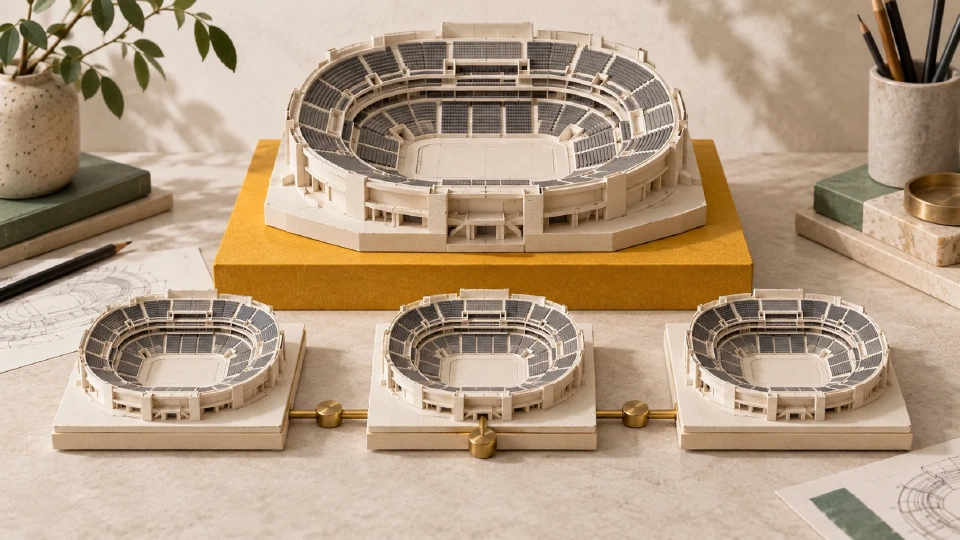
From Blueprint to Sold Out: One Venue Through Design, Render, Go Live
How one venue moves through Seatmap Pro: drawn in the editor, published to the renderer, sold through the Booking API, and filled on the night.
Hand a signed-in user from your ticketing site into the Seatmap Pro editor or booking widget without a second login using single-use SSO codes.

Every partner integration that embeds Seatmap Pro faces the same friction: the user has already signed into the ticketing platform, and asking them to sign in again inside an iframe is unacceptable. The answer is SSO autologin, and it has been part of the integration surface for years. What changed in Seatmap Pro 1.72 is how the handoff actually travels between the two systems. The legacy shape put the session tokens in the iframe URL. The new shape puts a single-use 60-second code there instead, and exchanges it for tokens server-side after the editor loads.
This post covers the new flow, why the change was worth making, when the legacy shape is still the right answer, and a code sample your integration team can drop into a partner project. If you want the reference integration doc, Multi-tenant integration (single sign-on) walks the full sequence with diagrams; this is the narrative version.
The Seatmap Pro editor and the booking widget live on their own origin, which means a browser session in the ticketing platform is not automatically a session in Seatmap Pro. Autologin bridges that gap. The ticketing platform, holding a management API key, tells Seatmap Pro “user X of organisation Y is signed in over here, please open them a session over there,” and Seatmap Pro responds with something the iframe URL can carry. The iframe loads, the editor sees the credential, the user is signed in. No second login prompt, no re-entry of the ticketing platform password inside a nested UI.
The whole exchange happens between the two backends. The user’s browser sees only the final iframe URL and the editor UI. What that URL contains is the design decision the 1.72 release changed.
The token-based autologin returns the access JWT and the refresh JWT directly in the response body. The reference integration then embeds both in the iframe URL as query parameters:
https://editor.seatmap.pro/app/?token={access}&refreshToken={refresh}
That URL is the concrete artefact of an SSO handoff. It travels well: any browser can load it, any iframe can render it. But it also travels more than a single handoff needs to. The access token has thirty minutes of validity. The refresh token has eight hours. Between issue and expiry, that URL is present in the ticketing platform’s own backend, in the HTML of the page that renders the iframe, in the browser’s session history, and in every proxy or access log between the two systems. A client-side scrub on the editor side removes the tokens from the visible URL after boot, but by then the URL has already been written to the surfaces above.
For most integrators this was fine. The tokens are scoped, they expire, and the compliance boundary was the ticketing platform’s own network. But “fine for most” is not a security model, and a regulated buyer or an on-premise operator who audits their proxy logs saw usable credentials in log lines that outlived the browser session by hours. That is the shape the 1.72 change replaces.
Set "responseType": "code" in the autologin request and the response changes:
{
  "success": true,
  "code": "k3P9wXbF2tR8yQ6mA1sD4gJ7hL0cV5nZ8xE2uT6iO4q",
  "expiresIn": 60
}
No token. No refreshToken. A single 256-bit URL-safe opaque code, valid for 60 seconds and consumed by the first exchange attempt. The iframe URL carries that code and only that code:
https://editor.seatmap.pro/app/venues/2/schemas/150?ssoCode=k3P9wXbF2tR8yQ6mA1sD4gJ7hL0cV5nZ8xE2uT6iO4q
When the editor loads, its client calls POST /api/auth/session on its own origin with the code in the body. The Seatmap Pro backend does an atomic GETDEL on the Redis entry keyed by the code, re-checks that the target user and organisation are still enabled, and only then mints the JWT pair. The response of that exchange call carries the tokens to the editor client, over HTTPS, in a body the browser never places in a URL. The exchanged tokens live in memory for the tab session, and the editor client drops the ssoCode parameter from the visible URL as soon as it has consumed it.
The single-use guarantee is enforced by the atomic delete. A code observed anywhere in transit is worthless the moment the editor loads with it, because the second exchange attempt returns 403 with no useful information about why. An expired code returns the same 403. So does a code for a user whose account was disabled in the 60 seconds between issue and exchange, because the flags are re-checked at exchange time rather than at issue time. Uniform failure responses do not leak whether the code was valid, expired, replayed, or issued for a since-disabled account.
The legacy flow stays supported. The endpoint contract is backward compatible: omit responseType from the request and the response looks exactly like it did in 1.71 and earlier, with tokens in the body and the same eight-hour refresh window. Set responseType to "code" and you get the new shape. Both flows are per-request; there is no per-organisation migration switch to flip, and no version pinning between the ticketing platform and Seatmap Pro required to mix them.
The practical guidance is short.
Use the code flow when:
Stay on the legacy flow when:
Both flows share the same authentication story on the outbound call: the ticketing platform’s management API key. That credential is what actually authorises “sign this user in on Seatmap Pro” and it is unchanged. If your integration works today with the legacy shape, it will work tomorrow with the code shape after a small client change.
Server-side, request a code instead of tokens:
POST /api/public/v2.0/autologin/ HTTP/1.1
Host: booking.seatmap.pro
Content-Type: application/json
X-API-Key: {MANAGEMENT_API_KEY}

{
  "login": "jd@partner.example",
  "firstName": "Jane",
  "lastName": "Doe",
  "token": "{ORGANISATION_PRIVATE_KEY}",
  "responseType": "code"
}
The response arrives with a code and an expiresIn. Render the editor URL with the code in one place:
<iframe
  src="https://editor.seatmap.pro/app/venues/{venueId}/schemas/{schemaId}?ssoCode={code}"
  width="100%"
  height="800"
  frameborder="0"
>
</iframe>
That is the whole integration change from the legacy shape. Two field names change (token and refreshToken become ssoCode) and one response field is read (code). Everything downstream of the editor load, including the Booking API v2 that the widget itself talks to for cart and lock operations, is unchanged.
Cache the code for the next iframe render at your peril: a code that expires between your handoff and the user’s click reaches the editor as an expired token and produces a login failure. Issue codes on demand, one per iframe load, and let the 60-second TTL do its job.
Two things were true before 1.72 that we did not want to be true after it, and we fixed them alongside the primary change.
Booking service log lines no longer print the full management API key. The v2 API-key lookup previously wrote the full X-API-Key value at info level on every request. It now writes only the organisation identifier prefix with the secret segment masked. Rotate any key that has appeared in a pre-1.72 log line as a matter of hygiene, and use the new format for anything you route into your central logging.
Editor autologin failure logs no longer print the submitted token. A failed autologin used to include the token value in the failure line, which meant a misconfigured integration wrote credentials to Sentry as a side effect of the misconfiguration. That log now excludes the credential.
Neither of these was a live incident. Both are the kind of housekeeping worth doing while the surrounding code is open.
Autologin is one credential path in an integration. Sharpening it does not turn every credential into a short-lived one. The management API key that authorises the autologin call itself is still a long-lived per-organisation secret, provisioned once and used from the ticketing platform backend. Rotate it on your normal cadence, keep it out of client-side code, and treat any log line that mentions it as a rotation event. The SSO integration guide documents the full trust boundary; this post is about narrowing the window inside it.
The broader signed-assertion redesign, where the ticketing platform mints a short-lived JWT with a per-organisation SSO key instead of holding a plaintext management secret at all, is on the roadmap and will land as its own change. It is not required to adopt the code flow. The code flow works with the credential you already provisioned.
If you are building a new integration this quarter, use the code flow from day one; there is no migration overhead because there is nothing to migrate from. If you are running the legacy flow in production, plan the switch alongside any client-side release you are already cutting: the ticketing-platform change is two lines, and the iframe URL parameter name change is one. If you want a walk-through against your real integration, book time on the demo page with the SSO check-box set, or read the full sequence in How to integrate an interactive seating plan with your event website, which is the practical companion to this piece and covers the surrounding integration surface end to end.
How one venue moves through Seatmap Pro: drawn in the editor, published to the renderer, sold through the Booking API, and filled on the night.
A developer guide to SVG for seating charts: viewBox and coordinates, Illustrator and Figma export gotchas, path simplification, and when to rasterize.
Publish one canonical venue schema and pull it into every partner instance: local Venues Library and HTTP federation, snapshot semantics, instance-key auth.