Autologin for Embedded Ticketing: One-Time SSO Handoff
Hand a signed-in user from your ticketing site into the Seatmap Pro editor or booking widget without a second login using single-use SSO codes.
Draw chamfered and curved venue shapes, rebuild a converted arena from its seats, run event series through the Booking API, and keep embedded saves in draft.
This release is mostly about venue shapes. They can now have chamfered corners, sections can spread their back rows, and a chart converted from a drawing can get its venue shape back from the seat positions alone. Beside that, the Booking API gains event series, the embedded editor can keep a chart in draft when it saves, and a long list of undo, save and rendering fixes makes large charts calmer to edit. If you self-host, or you reuse booking references across sessions, read the last section before you upgrade.
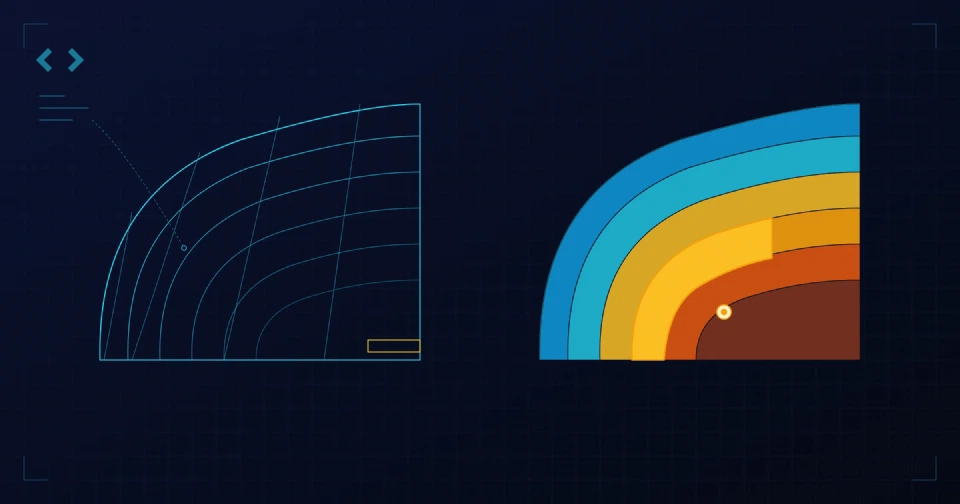
Until now a venue shape was a rounded rectangle, and path-based sections followed rings that rounded every corner. Many arenas are built differently: the rows stay straight along each side and kink at a 45-degree corner. Those could not be modelled.
The Venue shape panel now has a corner style. Round behaves exactly as before. Chamfer cuts each corner at 45 degrees, and rows on that shape stay straight along the sides and turn sharply on the corner bisectors. A Back row dispersion control lets the rows further from the venue spread out. Sections inherit the venue’s value or set their own.
Polygons also learned to bend. With the polygon tool, press, drag and release to draw an arc; a plain click still makes a straight edge. The polygon keeps its corners and the bend of every curved edge when you save, so the structure you drew survives a reload.
A chart converted from a drawing arrives as absolute seat positions with no venue shape, so its sections cannot be edited as path-based blocks. Recognize from Seats, in the Venue shape panel, fits a rounded or chamfered shape to the seats and picks whichever reproduces more of them. It then converts every section whose seats it can rebuild within one pixel of where they were. Everything else, tables included, stays exactly as it was. The panel tells you how many sections it converted, and one undo puts everything back.
On the arena that prompted the work, a concentric octagon with 219 sections, the fit picks the chamfered shape on its own and converts more than 200 of them.
A series groups events that share a published template. You create the series once, then create each date with a start and an end in the series time zone. Every new event is published with the template’s prices, seat assignments and assignment properties already in place. Creating the same start twice returns the existing event, so a retry is safe. You can list a series’ events and every booked seat across all of them, filtered by your own booking reference.
Confirmed booking sessions now take private JSON properties alongside the reference, and a confirmed session can be released to return its seats to sale. A reference identifies one confirmed session per event, which is the one change to check before you upgrade.
An editor embedded with hideNavbar=true used to publish on every save, so there was no draft step for a host application that wanted one. Add draft=true and Save keeps the chart in draft while the publishing controls stay available for an explicit Publish. Without the parameter nothing changes. The iframe guide shows both URLs.
endDate next to killAfter, and endDate wins when both are sent.@seatmap.pro/editor-cli builds charts from JSON and ships a Model Context Protocol server that is read-only by default.Self-hosted deployments have four things to look at.
Five migrations, V121 to V125, run when editor-service starts. Let editor-service finish them before the new booking-service starts, because booking-service reads the new event end date but does not migrate the database itself. If your tooling starts both at once, gate booking-service on the migration.
V122 makes a booking reference unique among the confirmed sessions of one event. The deployment guide has a read-only query that lists any duplicates; resolve them through your normal booking workflow first. Integrations that confirm several sessions of the same event with one reference need a distinct reference per session from this version on.
The editor frontend image now runs Node and serves the editor core next to the static files. Helm installs mount the public key from the existing RSA Secret and probe /healthz for you. Custom installations need the new image entrypoint and SEATMAP_SECURITY_RSA_PUBLIC_KEY.
Charts are not backward compatible with older editors once they use the new shapes. Library snapshots with chamfered shapes are version 2, which older editors decline, and exports with polygon corner data need the matching editor. Sections that follow a venue shape can lay out slightly differently when reopened, so review their seats and labels before saving. Booking pages keep the saved geometry until the next save.
The deployment guide covers the editor runtime settings, and the full detail is in the release notes.
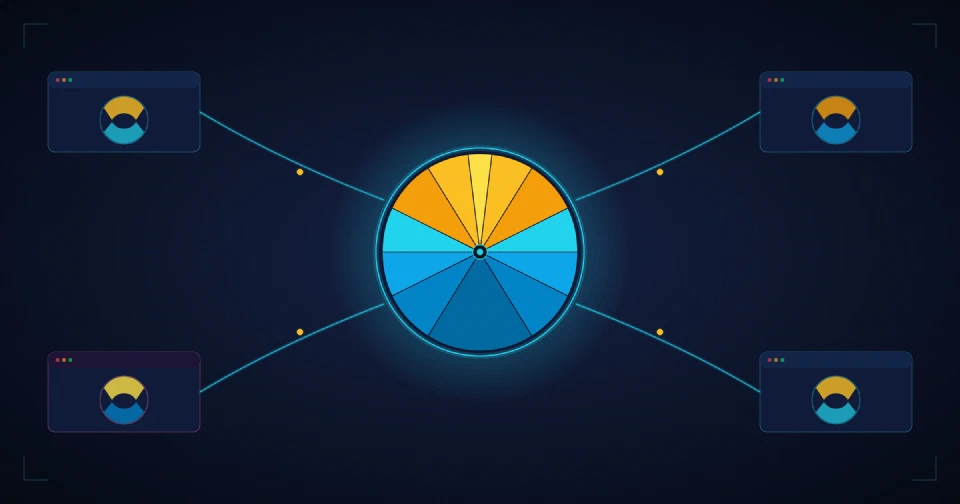
Hand a signed-in user from your ticketing site into the Seatmap Pro editor or booking widget without a second login using single-use SSO codes.
A developer guide to SVG for seating charts: viewBox and coordinates, Illustrator and Figma export gotchas, path simplification, and when to rasterize.
Publish one canonical venue schema and pull it into every partner instance: local Venues Library and HTTP federation, snapshot semantics, instance-key auth.